Complete Guide to Base64 Encoding: From Principles to Applications
Learn how Base64 encoding works and practical ways to use it in web development.
Why Was Base64 Created?
To understand the origins of Base64, we need to go back to email systems in the 1970s. At the time, the email protocol SMTP could only transmit 7-bit ASCII characters. Only English alphabets, numbers, and basic symbols were supported - binary files like images or documents couldn't be transmitted, nor could multi-byte characters like Korean or Chinese.
To solve this problem, the MIME (Multipurpose Internet Mail Extensions) standard was developed, and one of its core technologies is Base64. Base64 converts any binary data into a safe ASCII string, enabling file transmission even through systems that can only handle text.
Today, Base64 is still widely used. You'll encounter it in email attachments, inline images on web pages, API authentication, JWT tokens, and many other places. It's fundamental knowledge that every web developer must understand.
The Core Principle: 64 Safe Characters
The name Base64 comes from using 64 characters. These 64 characters were carefully selected to be safely processed by virtually all systems worldwide:
A-Z (26) + a-z (26) + 0-9 (10) + + / (2) = 64 characters
Additionally, the = character is used for padding. Why 64? Because 64 is 2^6, one Base64 character can be represented with 6 bits. The relationship between bytes (8 bits), the unit computers use to process data, and 6 bits is the heart of the Base64 algorithm.
The Encoding Process: Step by Step
Let's look at how Base64 encoding works using "Man" as an example.
Step 1: Convert each character to 8-bit binary
M -> 77  -> 01001101
a -> 97  -> 01100001
n -> 110 -> 01101110
Step 2: Split 24 bits into four 6-bit groups
Dividing 24 bits (3 bytes) into 6-bit groups creates 4 groups. This is why Base64 increases data size by about 33% - 3 bytes of input become 4 characters (4 bytes) of output.
010011 | 010110 | 000101 | 101110
Step 3: Convert each 6-bit group to a Base64 character
010011 -> 19 -> T
010110 -> 22 -> W
000101 -> 5  -> F
101110 -> 46 -> u
Result: "Man" becomes "TWFu"
The Role of Padding (=)
What happens when input data isn't a multiple of 3 bytes? This is when the padding character = is used.
For example, encoding just "M" (1 byte):
- Dividing 8 bits into 6-bit units leaves 2 bits remaining
- Add 4 bits of 0 to create 2 Base64 characters
- The remaining 2 positions are filled with
=
"M" -> "TQ=="
"Ma" -> "TWE="
"Man" -> "TWFu"
Padding allows the exact length of original data to be known during decoding. However, padding is sometimes omitted when used in URLs.
Practical Uses in Web Development
1. Inlining Images with Data URIs
Data URIs allow images to be included directly in HTML or CSS without separate files.
<img src="data:image/png;base64,iVBORw0KGgoAAAANSUhEUg..." />
.icon {
  background-image: url('data:image/svg+xml;base64,PHN2Zy...');
}
Good use cases:
- Small icons (1-2KB or less)
- Images that aren't used repeatedly
- When you need to reduce HTTP request count
Cases to avoid:
- Large images (33% size increase becomes burdensome)
- Same image used across multiple pages (caching not possible)
- Images that change frequently
2. HTTP Basic Authentication
HTTP Basic authentication is one of the simplest authentication methods. It connects username and password with a colon, then encodes with Base64.
const username = 'admin';
const password = 'secret123';
const credentials = btoa(`${username}:${password}`);

fetch('https://api.example.com/data', {
  headers: {
    'Authorization': `Basic ${credentials}`
  }
});
The server decodes this header to extract authentication information. However, since Base64 is not encryption, it must always be used with HTTPS. If sent over HTTP, anyone can see the password.
3. JWT (JSON Web Token) Structure
JWT consists of three parts, each encoded with Base64URL:
eyJhbGciOiJIUzI1NiIsInR5cCI6IkpXVCJ9.  // Header
eyJzdWIiOiIxMjM0NTY3ODkwIiwibmFtZSI6IkpvaG4ifQ.  // Payload
SflKxwRJSMeKKF2QT4fwpMeJf36POk6yJV_adQssw5c  // Signature
Base64URL is used in JWT because tokens can be passed as URL query parameters. Standard Base64's + and / have special meanings in URLs, so they're replaced with safe characters.
4. File Upload
When uploading files via Ajax, sometimes they're sent as Base64 strings instead of FormData:
const fileInput = document.querySelector('input[type="file"]');
const file = fileInput.files[0];
const reader = new FileReader();

reader.onload = function(e) {
  const base64 = e.target.result;
  // Send to server
  fetch('/upload', {
    method: 'POST',
    headers: { 'Content-Type': 'application/json' },
    body: JSON.stringify({ file: base64 })
  });
};

reader.readAsDataURL(file);
This approach is convenient with JSON APIs, but since file size increases by 33%, it's not suitable for large files.
Usage by Programming Language
JavaScript (Browser)
// Encoding
const encoded = btoa('Hello World');  // "SGVsbG8gV29ybGQ="

// Decoding
const decoded = atob('SGVsbG8gV29ybGQ=');  // "Hello World"
Note: btoa() and atob() only support Latin characters. To handle Korean or emojis:
// UTF-8 encoding
function encodeUnicode(str) {
  return btoa(encodeURIComponent(str).replace(
    /%([0-9A-F]{2})/g,
    (_, p1) => String.fromCharCode('0x' + p1)
  ));
}

// UTF-8 decoding
function decodeUnicode(str) {
  return decodeURIComponent(
    atob(str).split('').map(c =>
      '%' + ('00' + c.charCodeAt(0).toString(16)).slice(-2)
    ).join('')
  );
}
Node.js
// Encoding
const encoded = Buffer.from('Hello World').toString('base64');

// Decoding
const decoded = Buffer.from(encoded, 'base64').toString('utf-8');
Python
import base64

# Encoding
encoded = base64.b64encode(b'Hello World').decode('utf-8')

# Decoding
decoded = base64.b64decode('SGVsbG8gV29ybGQ=').decode('utf-8')

# URL-safe Base64
url_safe = base64.urlsafe_b64encode(b'data').decode('utf-8')
Base64 vs Base64URL Comparison
| Property | Base64 | Base64URL |
|---|---|---|
+ character | + | - (hyphen) |
/ character | / | _ (underscore) |
Padding = | Required | Optional (can be omitted) |
| Main uses | Email, general data | URLs, filenames, JWT |
In URLs, + can be interpreted as a space, and / as a path separator. Base64URL prevents these issues.
Common Mistakes and Cautions
1. Confusing Base64 with encryption Base64 is encoding, not encryption. Anyone can easily decode it, so it should never be used to hide sensitive information. If security is needed, use actual encryption algorithms like AES.
2. Using Data URIs for large files Data URIs cannot be cached. Converting a 100KB image to Base64 makes it 133KB, and it's downloaded repeatedly every time the page loads. Separating it as an external file benefits from browser caching.
3. Ignoring line break characters Some Base64 implementations insert line breaks every 76 characters (MIME standard). If you don't remove line breaks before decoding, errors can occur.
4. Ignoring character encoding
Encoding Korean directly with btoa() causes an error. You must first convert to UTF-8.
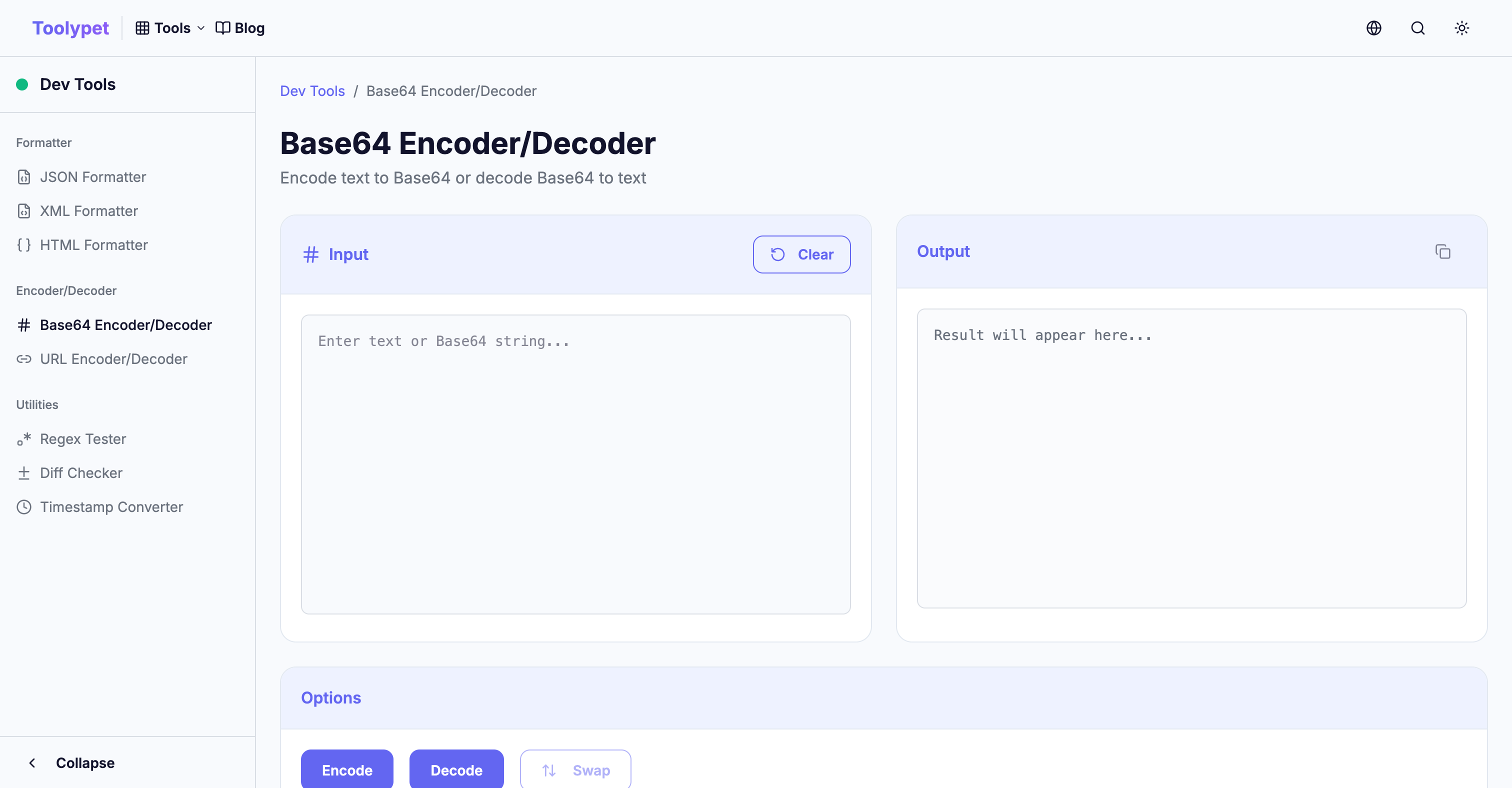
Toolypet Base64 Tool
Toolypet's Base64 encoder/decoder simplifies developer workflows:
- Text conversion: Instantly convert plain text to Base64 or vice versa
- File conversion: Convert images or documents to Base64 with drag and drop
- Data URI generation: Automatically generate Data URIs with appropriate MIME types
- Automatic UTF-8 handling: Perfect support for Korean, emojis, and other Unicode characters
When you need Base64 conversion during development, use it directly in your browser without installing separate libraries or writing code.